Time off, without the spreadsheet.
weone tracks each employee’s time off against your leave types and balances, sends each request to the right approver and shows who is out on a team calendar. It counts days, not hours, and has no payroll.
Start from your country’s rules
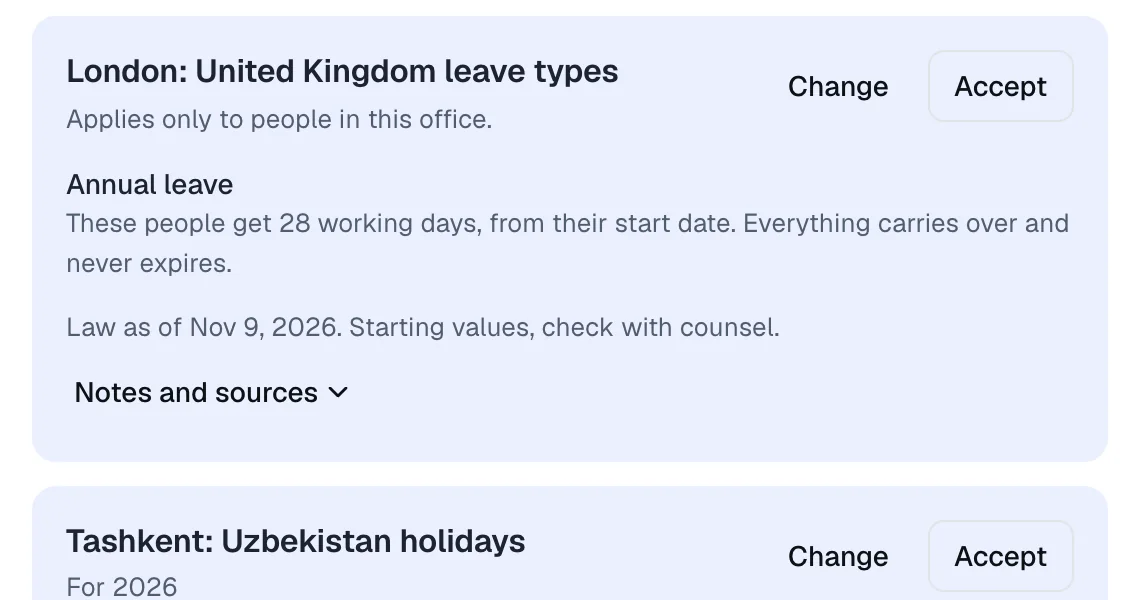
For each office, weone suggests holidays, leave types and a work week as cards you accept or change. Starting leave rules exist for seven countries: Uzbekistan, South Korea, Japan, the United Kingdom, Germany, Kazakhstan and Turkey.
- Each value links to the law it came from, with the date of the law it reflects.
- They are starting values: check them with counsel before you rely on them.
- The United States has no federal minimum, so weone asks how many vacation days you give.
Balances that keep themselves
Days arrive all at once at the start of the leave year, monthly, or on each work anniversary. People who join partway get their share of the year.
- Carry over unused days, with an expiry date if you want one.
- More days with years of service, up to a cap.
- Half days, and an optional limit on going below zero.
Requests that reach the right person
A request goes to the employee’s manager, to the manager’s stand-in while they are away, or to your People admins. The approver hears in the app and by email.
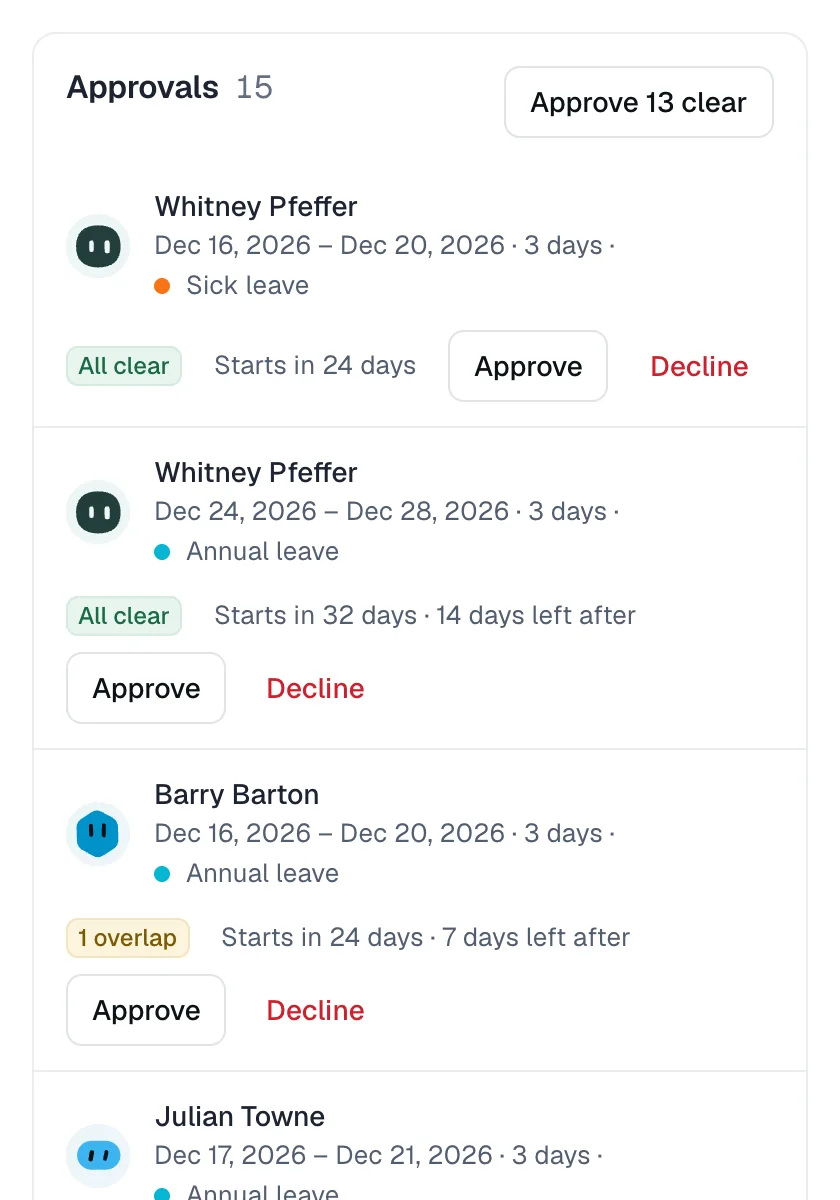
- Each request says “All clear”, or how many teammates are out on the same days.
- Approve every request with no overlap in one click.
- Unanswered requests get a reminder, then go to the admins.
See who is out
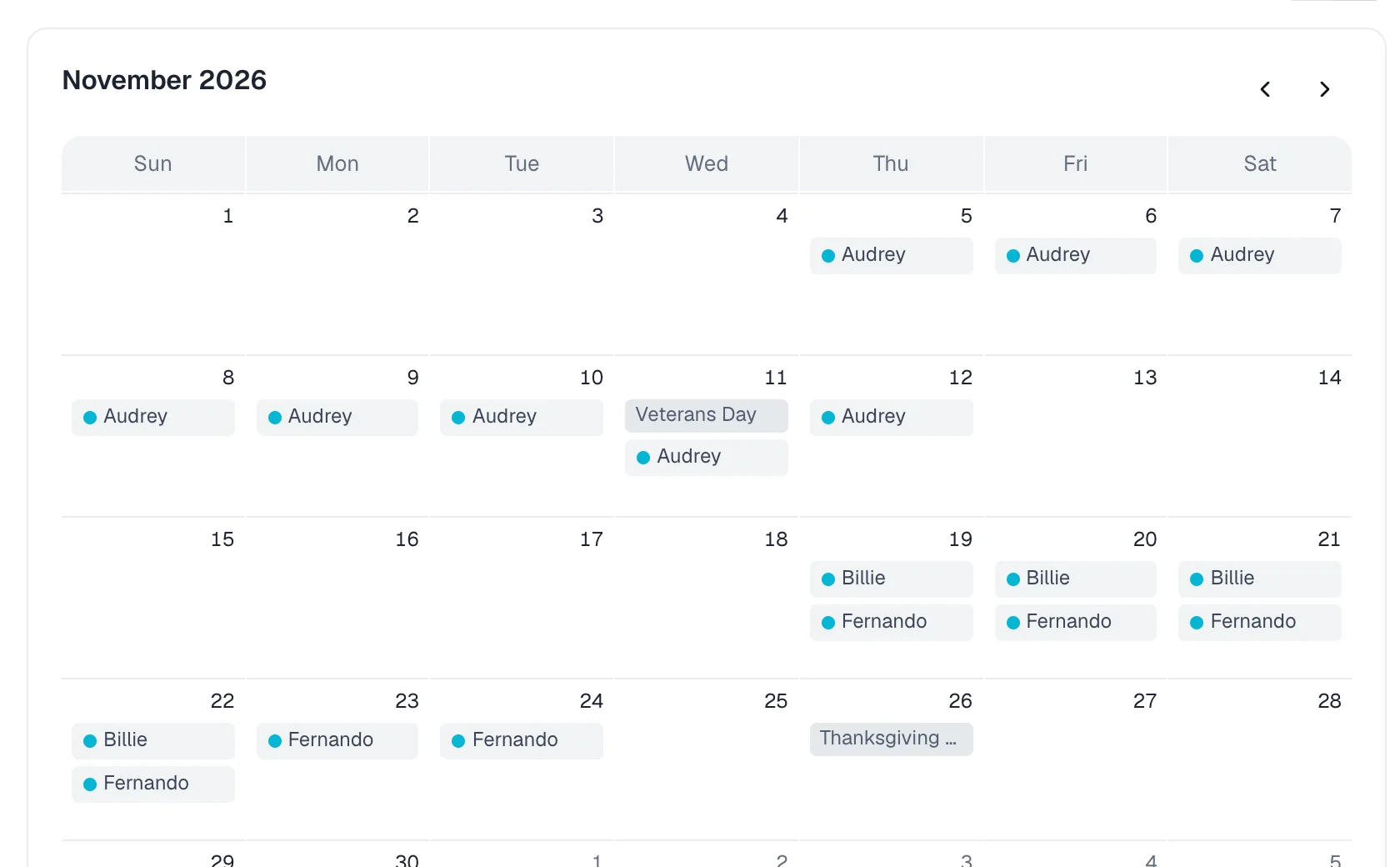
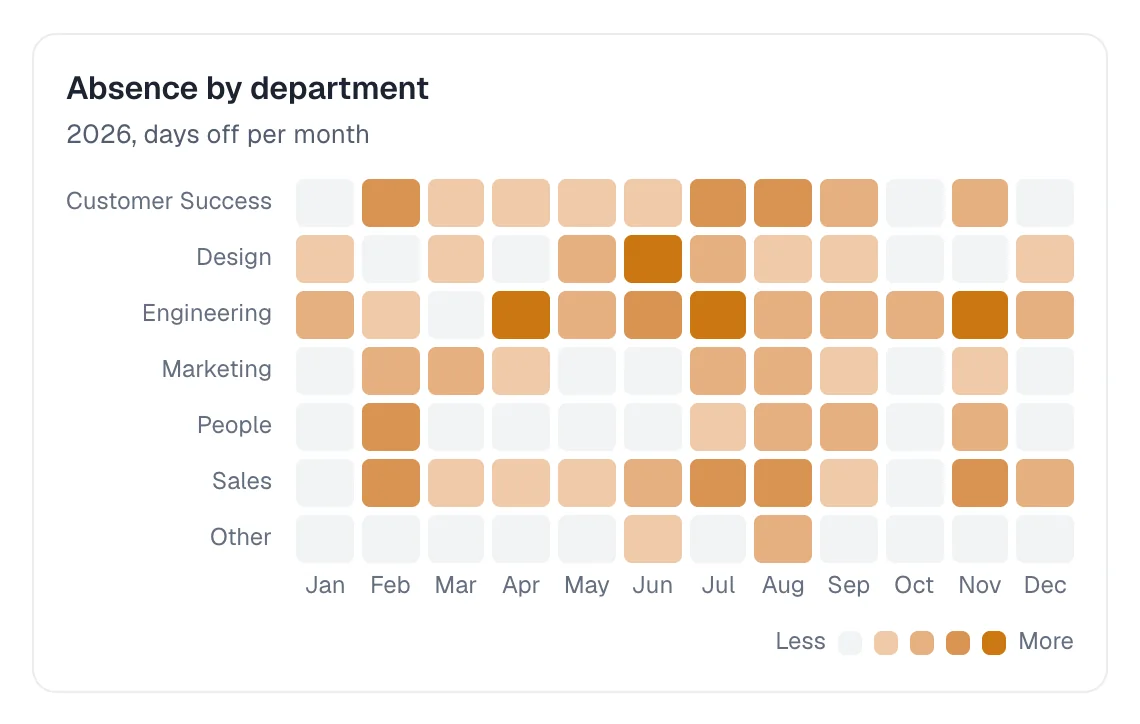
The team calendar shows who is out each day, with the public holidays on it. Admins also get absence by department, month by month.
- Public holidays imported by country, named in your language.
- Next year’s holidays can be added each December.
- Mark a holiday as a working day, or add a make-up workday.
Employees see their own
Each employee sees how many days they have left, when days expire, every past request and a balance history that shows how the number was reached.
What time off in weone does not do
It tracks days off. These stay with other tools.
Hours
Leave is counted in working or calendar days, with no hourly accrual. Hours worked are tracked in timesheets.
US state and city leave laws
weone has no templates for state or city sick-leave laws, which often accrue by hours worked.
Calendar sync
Time off is not written to Google Calendar or Outlook.
Payroll
Nothing is sent to payroll. Export the requests as a CSV if your payroll provider needs them.
Questions about time off
This is general information, not legal advice. Leave law differs by country and state, so check with an employment lawyer. Checked on November 22, 2026.
Put the leave spreadsheet away.
Start on the Free plan and add time off with People, at $6 per employee a month.