Hours worked, approved every week.
Employee time tracking in weone: people clock in and out, or type their hours, and each week goes to their manager to approve. It is part of People, at $6 per employee a month on every plan. It records hours, not pay: there is no payroll or overtime pay calculation.
Clock in, or type the hours
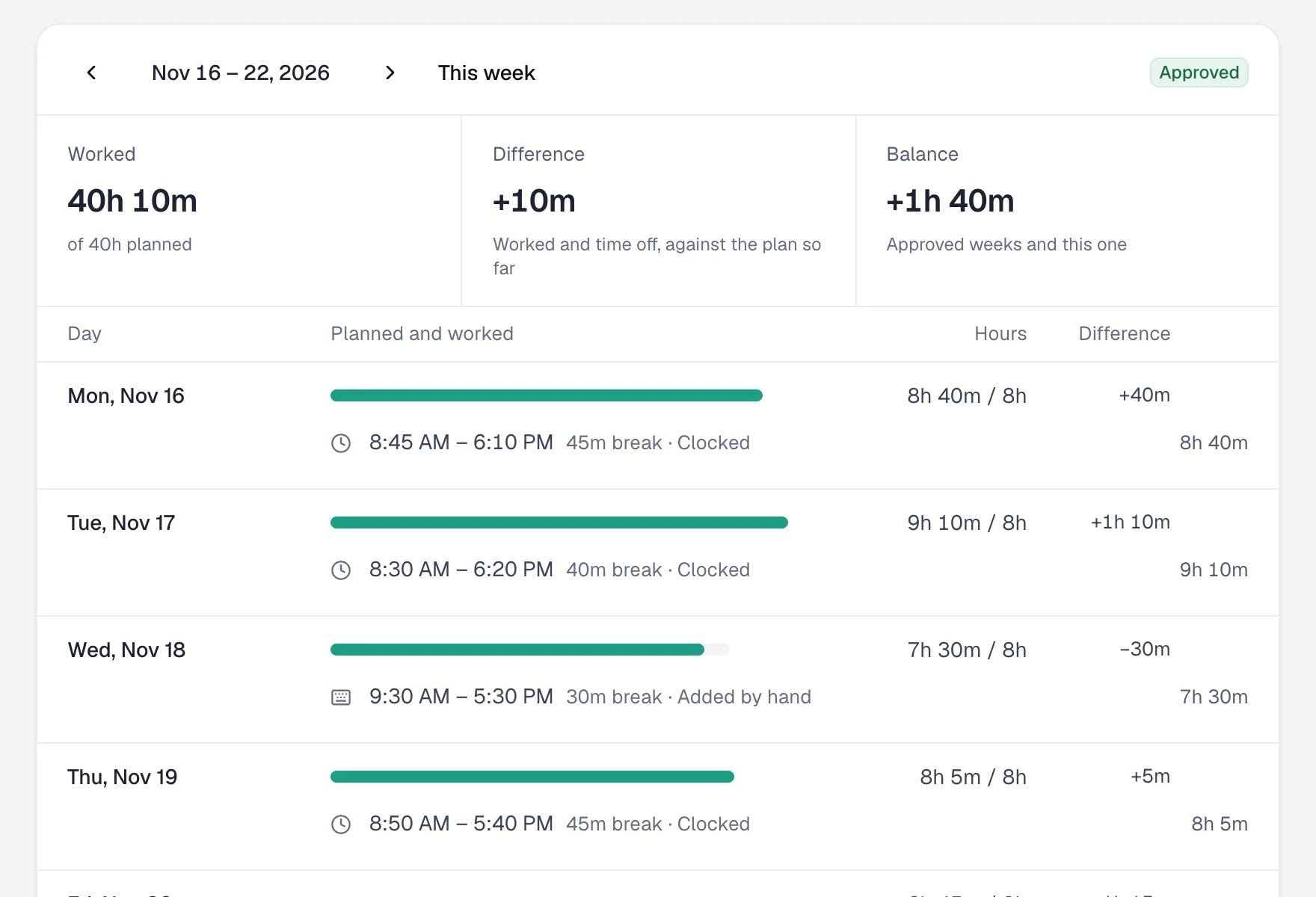
Each person has one clock: clock in, start and end a break, clock out. Anyone can also type the hours for a past day, which suits people who fill in their week on Friday. The workspace picks which way is the default.
- One open entry at a time per person.
- An entry can’t be in the future, run over 24 hours or overlap another one.
- A clock card on Home for each person who tracks time.
Each week against the schedule
The week shows the hours planned by the person’s work schedule next to the hours worked, day by day, with the difference and a running balance. With no schedule, weone plans Monday to Friday, 8 hours a day.
- Approved time off fills its day, and a half day counts as half.
- Public holidays fill the whole day.
- Each work schedule sets the day its week starts, any day of the week, and days follow the person’s own time zone.
Approved by the manager
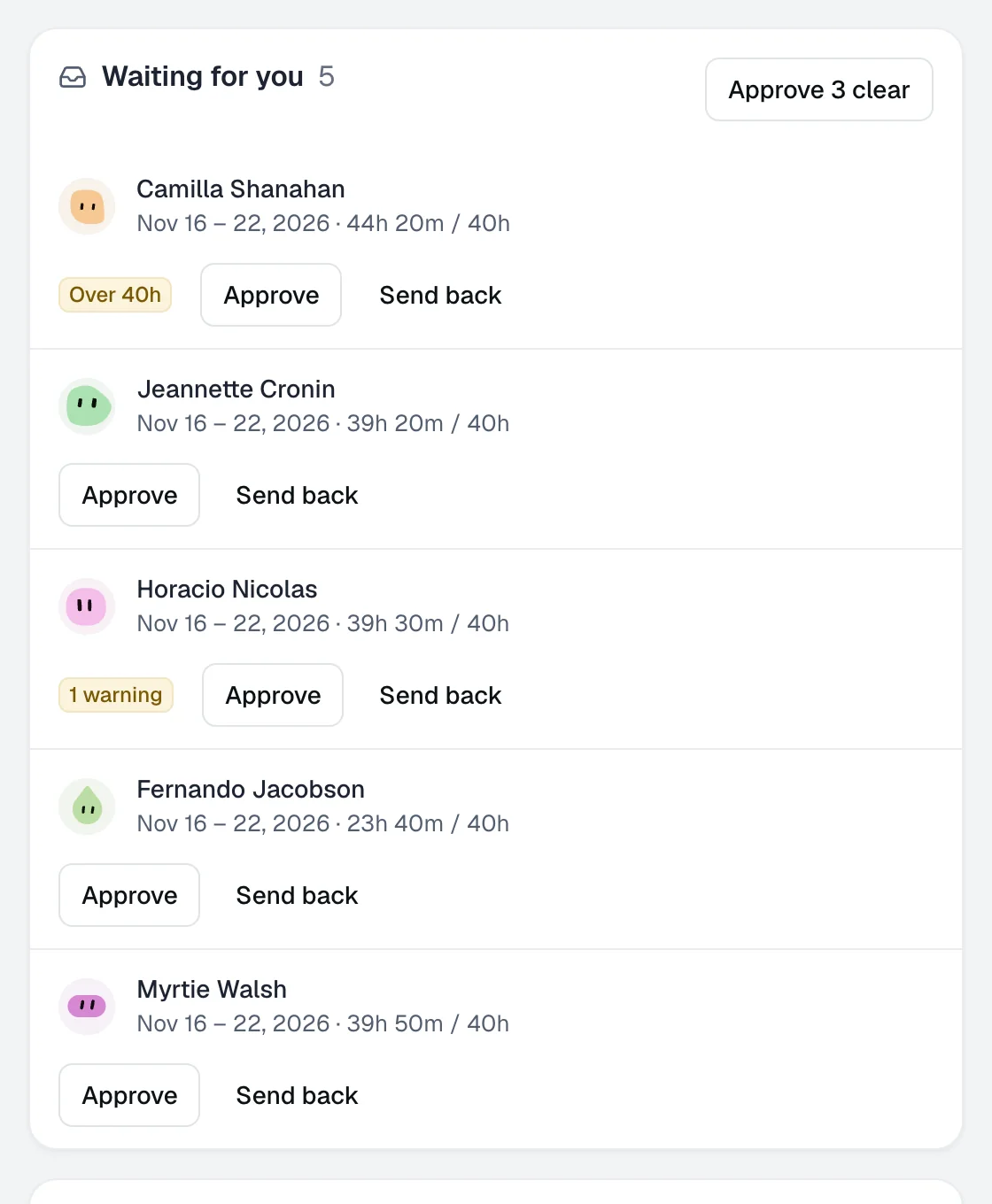
The employee submits the week. It goes to their manager, to the manager’s stand-in while they are away, or to your People admins: the same route as time off. The approver approves it or sends it back with a note.
- Submitted and approved weeks are locked.
- A People admin can reopen a week, and the reopening is logged.
- Approve every week with no warnings in one click.
Warnings that never block
weone points out days that look wrong, on the day and in the approver’s view, and still lets the week through.
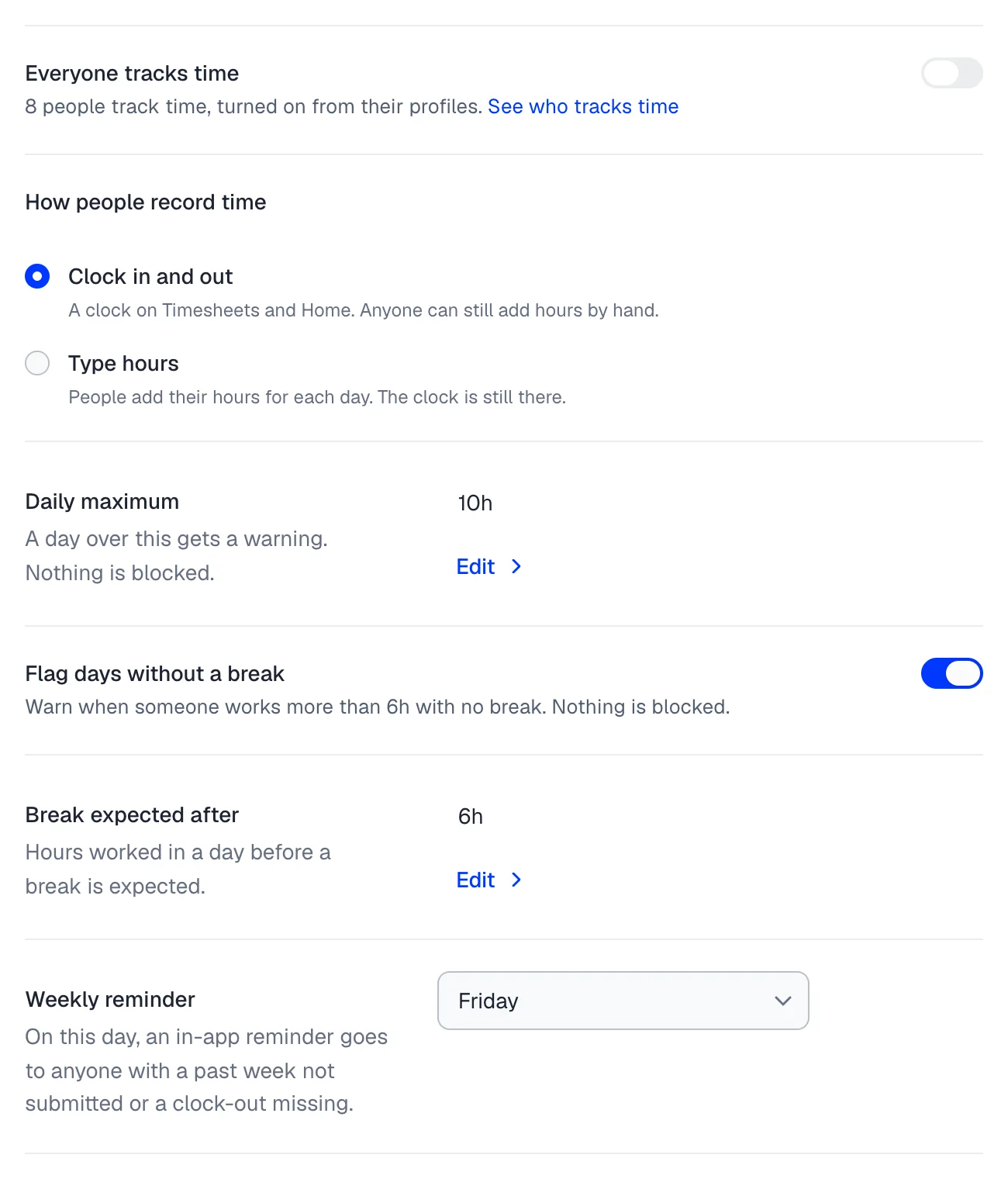
- More than the daily maximum: 10 hours, unless you change it.
- No break after 6 hours, a rule you can switch off.
- A clock-out still missing after 16 hours.
- A past workday with nothing recorded.
- For US non-exempt employees, a flag when the week goes over 40 hours: overtime pay may apply.
Reminders and the CSV export
On a day the admin picks, an in-app reminder goes to anyone with a past week not submitted or a clock-out missing. Reminders are not sent by email. For payroll, export the hours as a CSV, one row per person per day, for up to 366 days.
- Columns: employee, employee ID, date, time zone, start, end, break minutes, worked minutes, worked hours, absence, timesheet status, approved by and approved at.
- People admins export everyone; a manager exports their direct reports.
On for the people who need it
Time tracking is off until a People admin switches it on, for everyone or for chosen people from their profile. The settings hold the default mode, the daily maximum, the break rule and the reminder day.
What time tracking in weone does not do
It records hours worked and who approved them. These stay with other tools.
Location
No GPS, location check or geofencing.
Kiosk or face ID
No shared kiosk, time clock hardware or face recognition.
Projects and billable time
Hours are not split by project or client.
Pay and payroll
No pay rates, overtime pay or payroll sync. Export the CSV for your payroll provider.
Shift scheduling
No shift planning or rotas; the work schedule sets the planned hours.
Mobile app
There is no weone mobile app for time tracking; it works in the browser, on a phone too.
Questions about time tracking
This is general information, not legal advice. Recordkeeping and overtime rules differ by country and state, so check with an employment lawyer. Checked on November 24, 2026.
Let the week add itself up.
Start on the Free plan and add time tracking with People, at $6 per employee a month.