Reviews a small team will finish.
Performance review software in weone: each person writes a self-review, their manager writes theirs, and the employee reads the manager’s review once it is shared. It is part of People, at $6 per employee a month on every plan. It runs reviews, not a performance suite: there are no goals, 1:1s or 360 reviews.
Set it up as a draft, then send
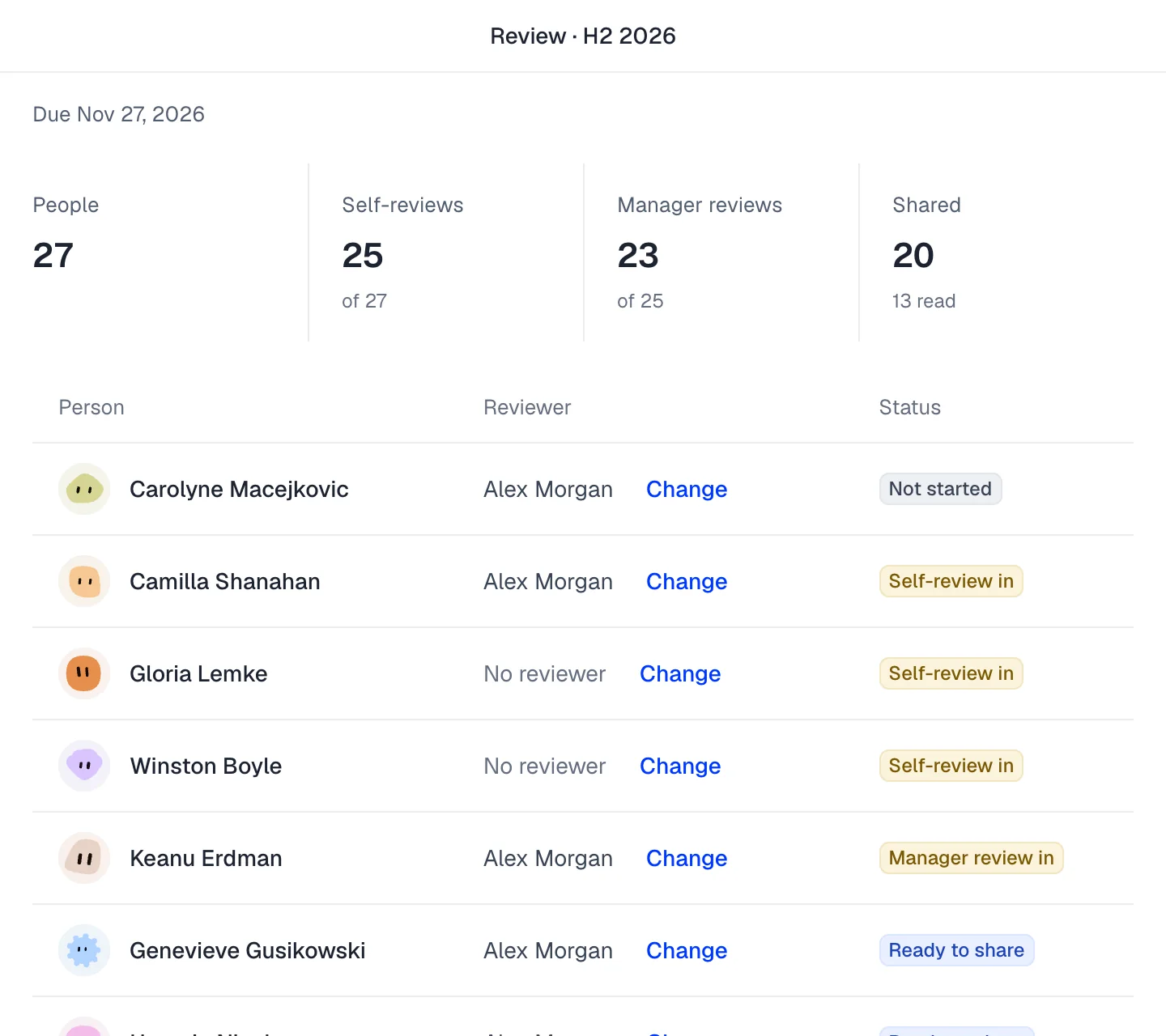
A People admin names the review, picks who is in, everyone or chosen departments, and sets one due date. It stays a draft, which you can change or delete, until you press Send. People who have left are not included.
- Each person’s reviewer is their manager on the org chart when the review is sent.
- The person at the top, with no manager, writes a self-review only.
- An admin can change one person’s reviewer while the review is open.
Questions you can edit
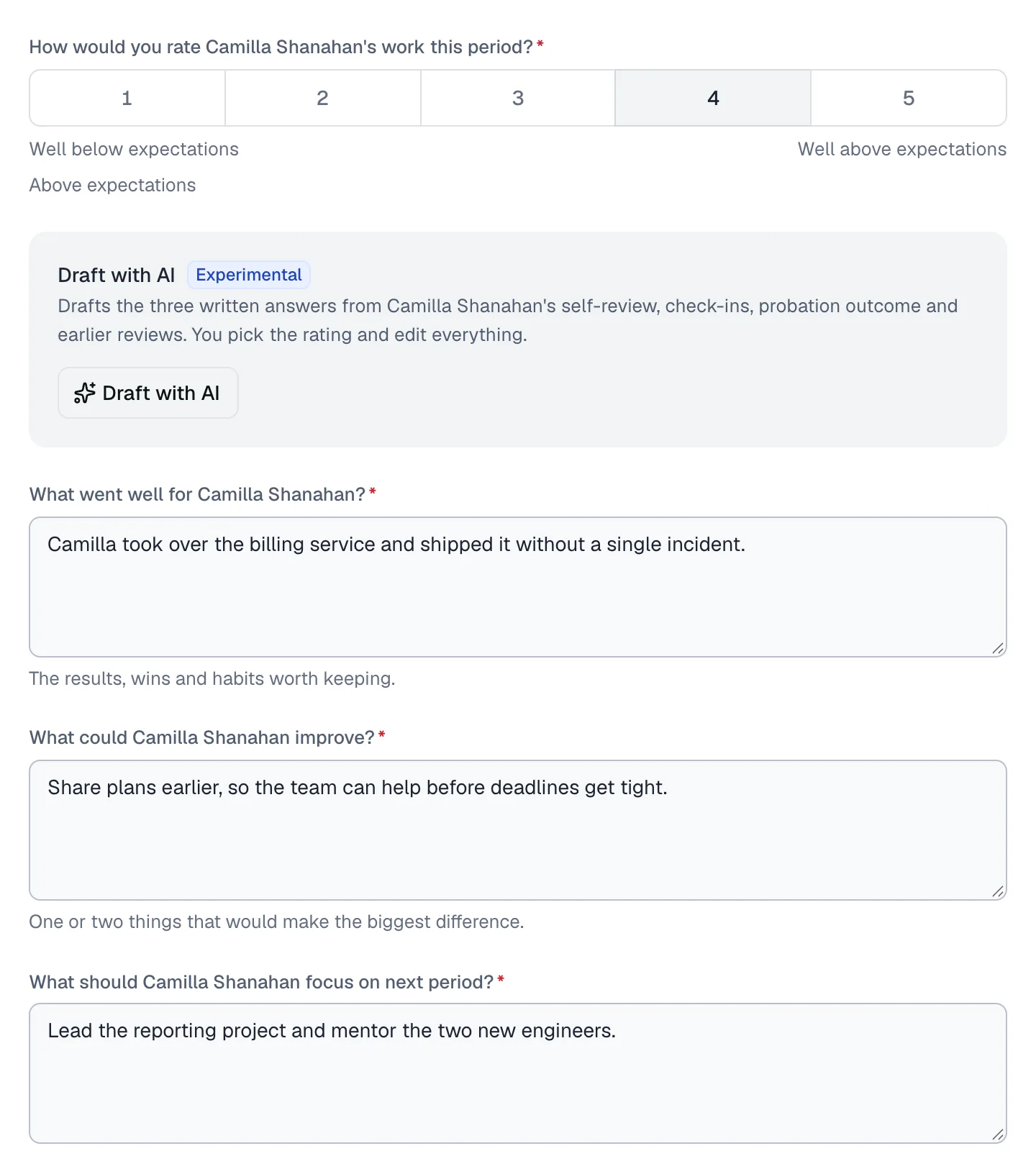
A review starts from four questions, the same for both sides and worded for each: “How would you rate your work this period?” on a 1 to 5 scale, “What went well?”, “What could you improve?” and “What will you focus on next period?”. Add, edit, reorder or delete them before you send.
- Question types: a 1 to 5 scale, a 0 to 10 scale, single choice, multiple choice, short text and long text.
- Mark a question as required, and give the manager’s side its own wording.
- Copy the questions from an earlier review. Once the review is sent, its questions are locked.
Drafts first, then Send
Answers save as a draft that only the writer sees, until they press Send. After sending, the employee can still edit until the manager sends theirs, and the manager can edit until they share the review.
- A People admin can reopen a sent side before the review closes, with a note, and the reopening is logged.
- Reminders appear in the app 3 days before the due date and on the day. There are no email reminders.
The manager reads first, the employee once it is shared
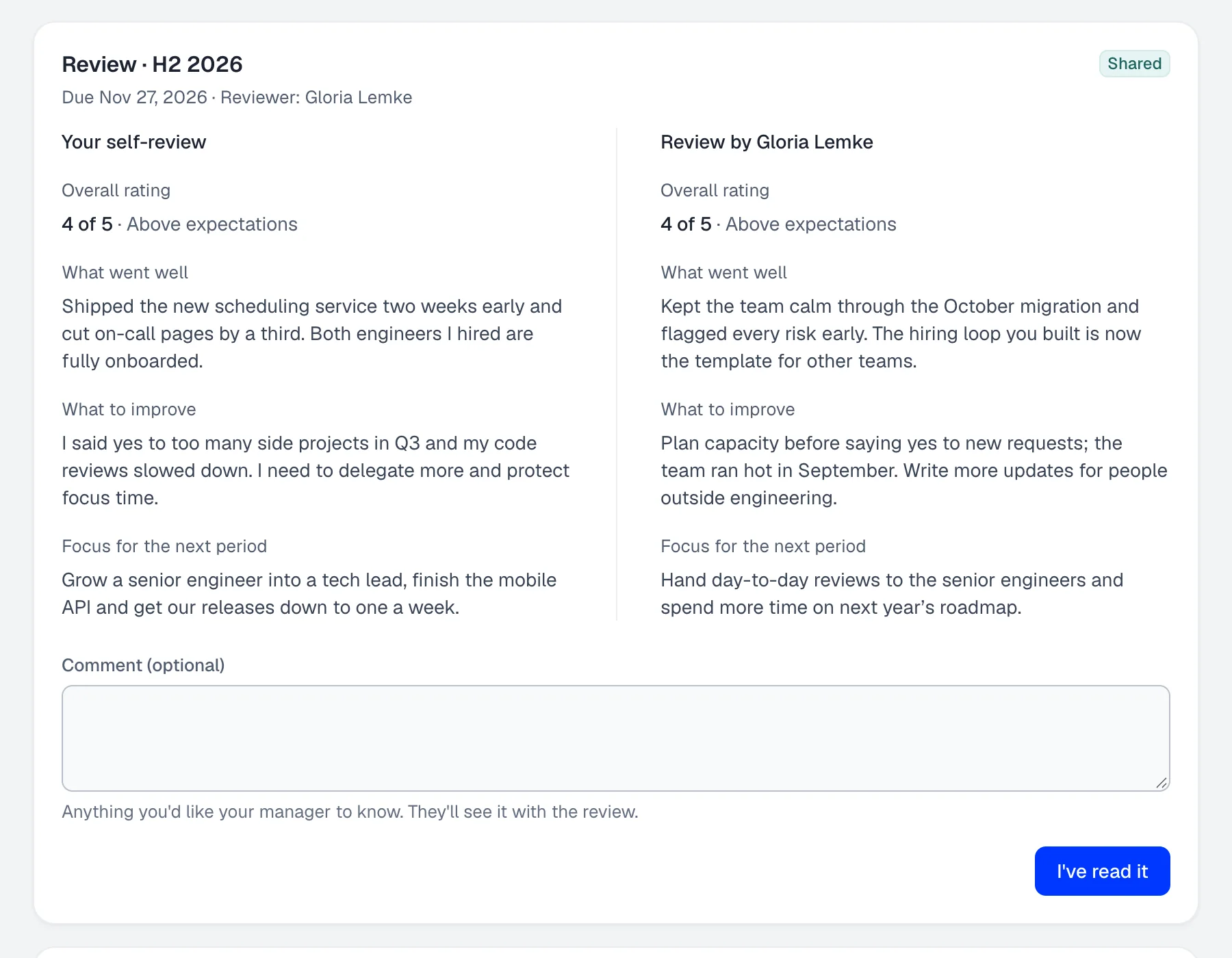
The reviewer reads the sent self-review before writing theirs. The employee never sees the manager’s review until the manager presses Share, or a People admin closes the review. Then the two reviews sit side by side.
- The employee taps “I’ve read it” and can add a comment.
- Shared reviews stay on the employee’s profile.
Who can read a review
The employee, once it is shared. Their reviewer. Every manager above them in the org chart, who can read the sent answers but never write. And your People admins.
- Reviews has three tabs: Mine, My team and All, where All is for People admins.
- My team also lists the people further down your team, read only.
Draft with AI, labelled Experimental
The reviewer can ask AI to fill in the written answers. It starts from the self-review, then the onboarding check-ins, the probation outcome and up to 3 earlier shared reviews. It fills text questions only: it never sets a rating and never sends the review.
It builds on onboarding
For someone who joined through weone, the check-ins at week 1, day 30 and day 90 and the probation review are already on their record, and the AI draft can draw on them.
What reviews in weone do not do
It runs a self-review and a manager review. These stay with other tools, or with a conversation.
360 and peer reviews
Only the person and their manager write; there are no peer or upward reviews.
Goals and OKRs
No goal tracking or OKRs.
1:1 meetings
No 1:1 agendas or meeting notes.
Calibration
No calibration sessions or 9-box grid.
Pay and promotion
A review is not linked to pay or promotion.
Email reminders and e-signing
Reminders appear in the app only, and a review is acknowledged, not signed.
Questions about performance reviews
This is general information, not legal advice. Rules on reviews and employee records differ by country, so check with an employment lawyer. Checked on November 24, 2026.
Start with one review.
Start on the Free plan and add reviews with People, at $6 per employee a month.