Send the offer letter. Get it signed online.
weone offer letters let you write a job offer from a template or your own PDF, send it from the candidate’s profile and collect the candidate’s e-signature online. The signed PDF and its audit trail stay on the candidate’s record, on every plan.
How to send an offer letter for e-signature
Four steps, from the terms to the signed PDF, without leaving the candidate’s profile.
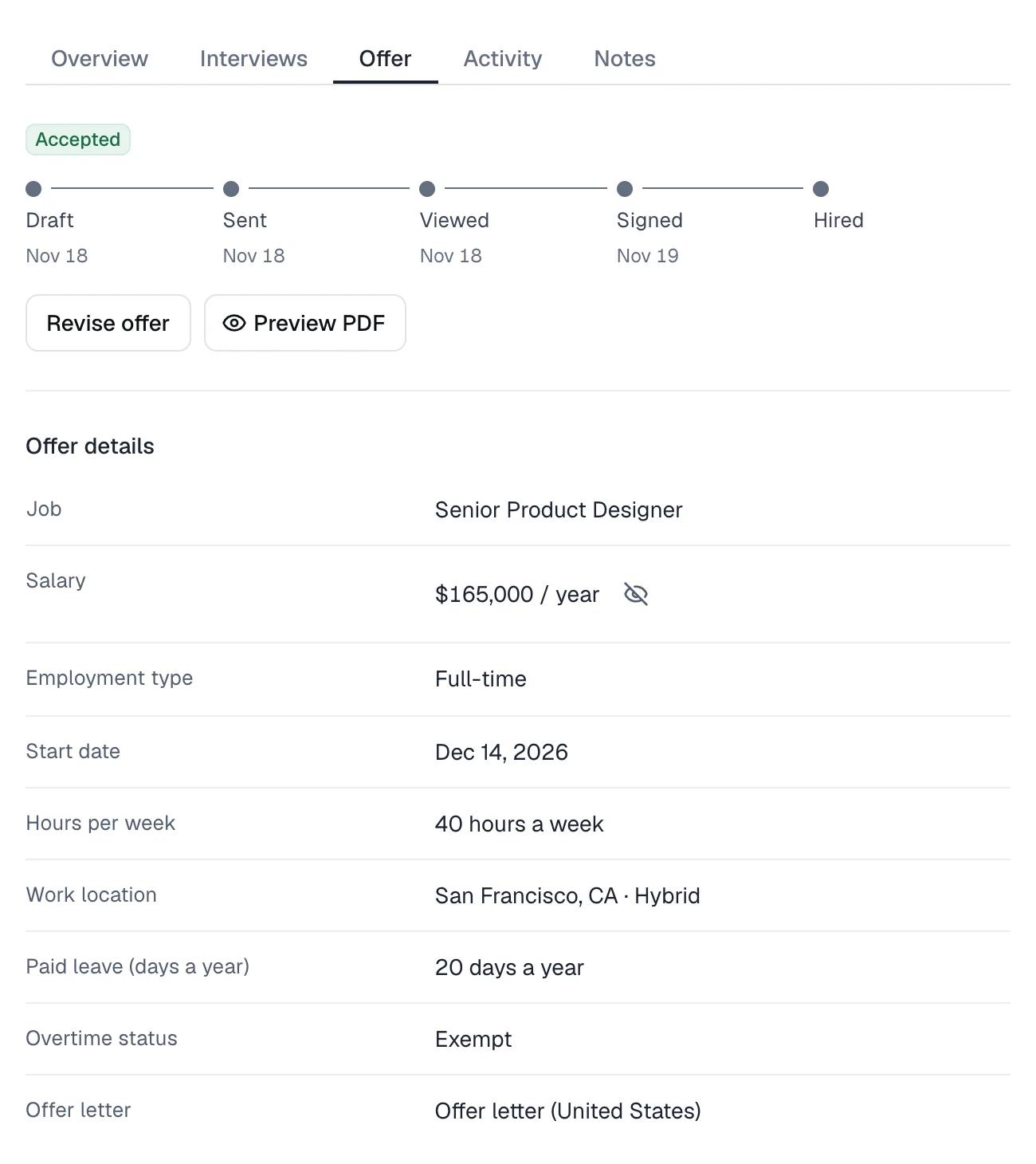
Pick a template and fill in the terms
Start from an example template or one of your own, or upload a PDF. Enter the salary, start date and other terms, and the placeholders in the letter fill in from them.
Preview the exact PDF
See the letter exactly as the candidate will get it. Send stays off until every required field is filled in.
Send it from the candidate’s profile
The candidate gets an email with a private link: the key terms, the letter to read and download, a message from your team, a contact person and the date to respond by.
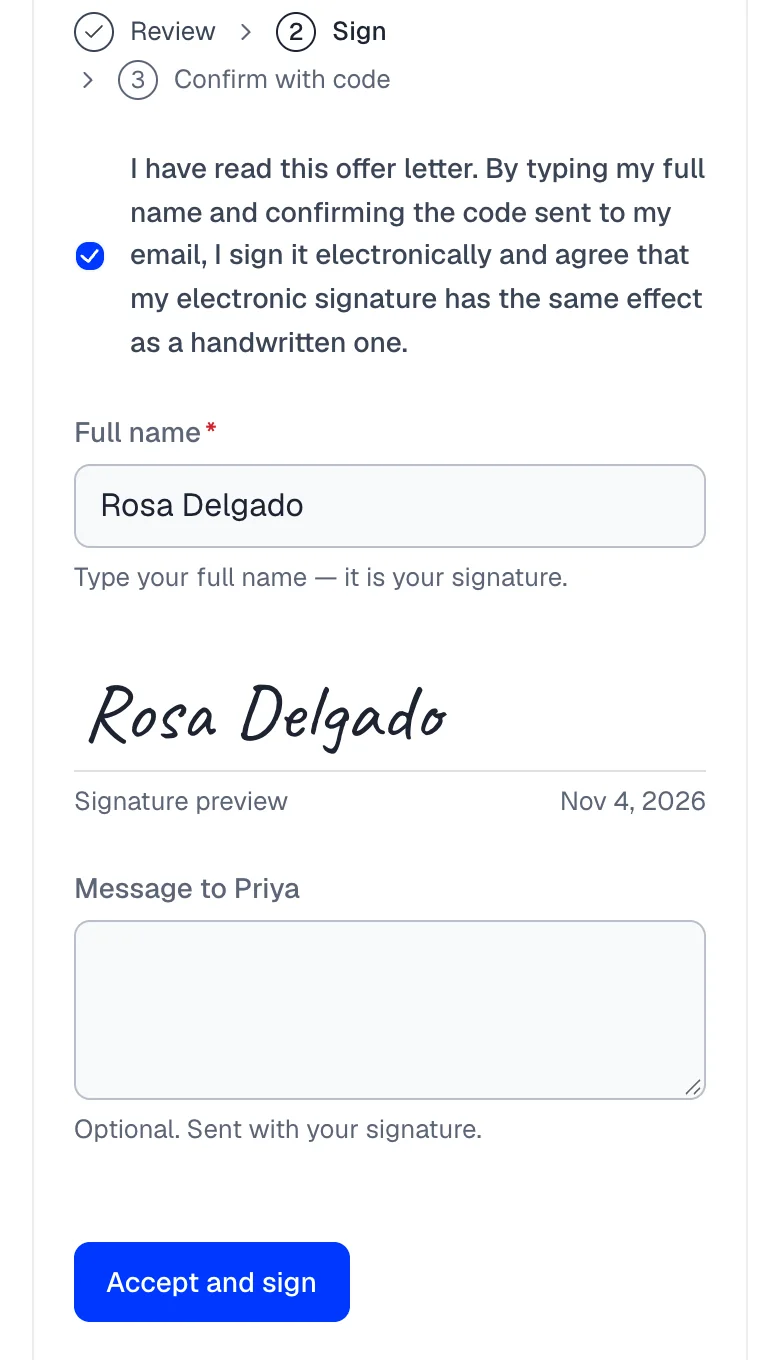
The candidate reviews and signs
They type their full name and enter a 6-digit code sent to their email. The signed PDF goes to them and to you, and stays on their record.
What’s included
weone covers the offer from the first draft to the signed copy: the letter, the checks before it goes out, and the candidate’s answer.
Live placeholders
Templates keep placeholders for the candidate’s name, job title, salary, start date and more, filled in from the offer’s terms when the PDF is made.
Why you can trust it
You enter the terms once, in the offer form, and never retype the salary into the letter.
Nine example letters
A generic letter and examples for the United States, Canada, the United Kingdom, Australia, India, Singapore, Ireland and the Philippines, written in English.
Why you can trust it
Each one is labelled as a starting point. Have your lawyer review it before you use it.
A required-field check before Send
The offer form follows the letter: the core terms, every field the letter prints and the terms the work country requires.
Why you can trust it
Send stays disabled until they are filled in. Country notes, such as limits on weekly hours or probation, are a checklist, not legal advice.
Approval when the job has a hiring manager
If the job has a hiring manager, the offer goes to them for approval before it is sent.
Why you can trust it
The candidate gets nothing until the offer is approved and you press Send.
Versions and change requests
The candidate can ask for changes with a message to your team, and the offer stays open. Edit it and send again, and the old link stops working.
Why you can trust it
Every version is kept with its own PDF, whether it was signed, declined, voided or expired.
A respond-by date and a clear no
Set the date you need an answer by. The candidate can also decline, with an optional reason.
Why you can trust it
When the candidate opens the offer, it shows on the offer’s timeline. An offer answered offline can still be marked accepted by hand.
Any language, any name
The page where the candidate reads and signs the offer is available in 16 languages.
Why you can trust it
Names in any script, Korean and Arabic among them, print correctly on the PDF.
Every signature leaves a record.
The signed PDF is the letter plus a signature certificate page, emailed to the candidate and to you when they sign, and kept on the offer to download later. If you delete the candidate, their signing records are deleted too.
Signature certificate page
Who signed, their email address, the IP address, the times in UTC, the consent they gave and the SHA-256 fingerprints of the document they were shown and of its event log.
SHA-256 fingerprints
One of the exact PDF the candidate was shown and one of the signed PDF, so a later change to either file can be detected.
Tamper-evident event log
Sent, viewed, code sent, signed or declined, each with a time and an IP address. Every entry is chained to the one before it, so an edited entry breaks the chain.
Copies to both sides
The candidate and the recruiter each receive the signed PDF by email at the moment of signing.
What to include in an offer letter
An offer letter states the job title, start date, pay and how often it is paid, the type of employment and hours, where the work happens and who the person reports to, plus any benefits, probation or conditions, the date to respond by and a place to sign.
Job title
The exact title, and the team or department the person joins.
Start date
The first working day. If it depends on a notice period or a check, say so.
Pay and pay frequency
The amount, the currency and the period it covers, such as per hour, month or year, and how often it is paid, for example every two weeks or monthly.
Employment type and hours
Full-time or part-time, permanent or fixed-term, and the expected weekly hours. In the US, say whether the role is exempt or non-exempt from overtime.
Work location
An office address, remote or hybrid, and the country the person will work in.
Who they report to
The manager’s name or job title.
Benefits and bonus, if any
Health cover, paid leave, a bonus, commission or equity. Summarise them and point to the plan documents rather than restating every rule.
Probation, if you use one
How long it lasts and what changes at the end. Some countries limit how long a probation period can be.
Conditions
Anything the offer depends on, such as a background check, references or proof of the right to work.
At-will statement in the US
Most US offer letters say employment is at will, so the letter is not read as a promise of employment for a fixed term.
Respond-by date
The date the offer lapses if the candidate has not answered.
Signature
A place for the candidate to sign and date, on paper or electronically. Keep a copy of the signed letter.
General information, not legal advice. What an offer letter must say differs by country and state, so have an employment lawyer check your template.
Free offer letter templates by country
Nine example offer letters you can read and copy for free: a generic one and one for each of eight countries.
- Generic offer letter template
- United States offer letter template
- Canada offer letter template
- United Kingdom offer letter template
- Australia offer letter template
- India offer letter template
- Singapore offer letter template
- Ireland offer letter template
- Philippines offer letter template
The templates are written in English. They are a starting point, so have a lawyer review yours.
All offer letter templatesIncluded on every plan
Offer letters and e-signature are on every weone plan, Free included, with no limit on how many offers you send.
Free
Choose one of the nine example templates or upload your own PDF, and send it from the candidate’s Offer tab.
Pro and Max
Your own templates and custom fields, AI help to polish the letter’s wording, and Sent offers under Documents: every offer you have sent, with offers sent this month, the acceptance rate, offers waiting for a reply and the ones that need attention. The 14-day trial includes them.
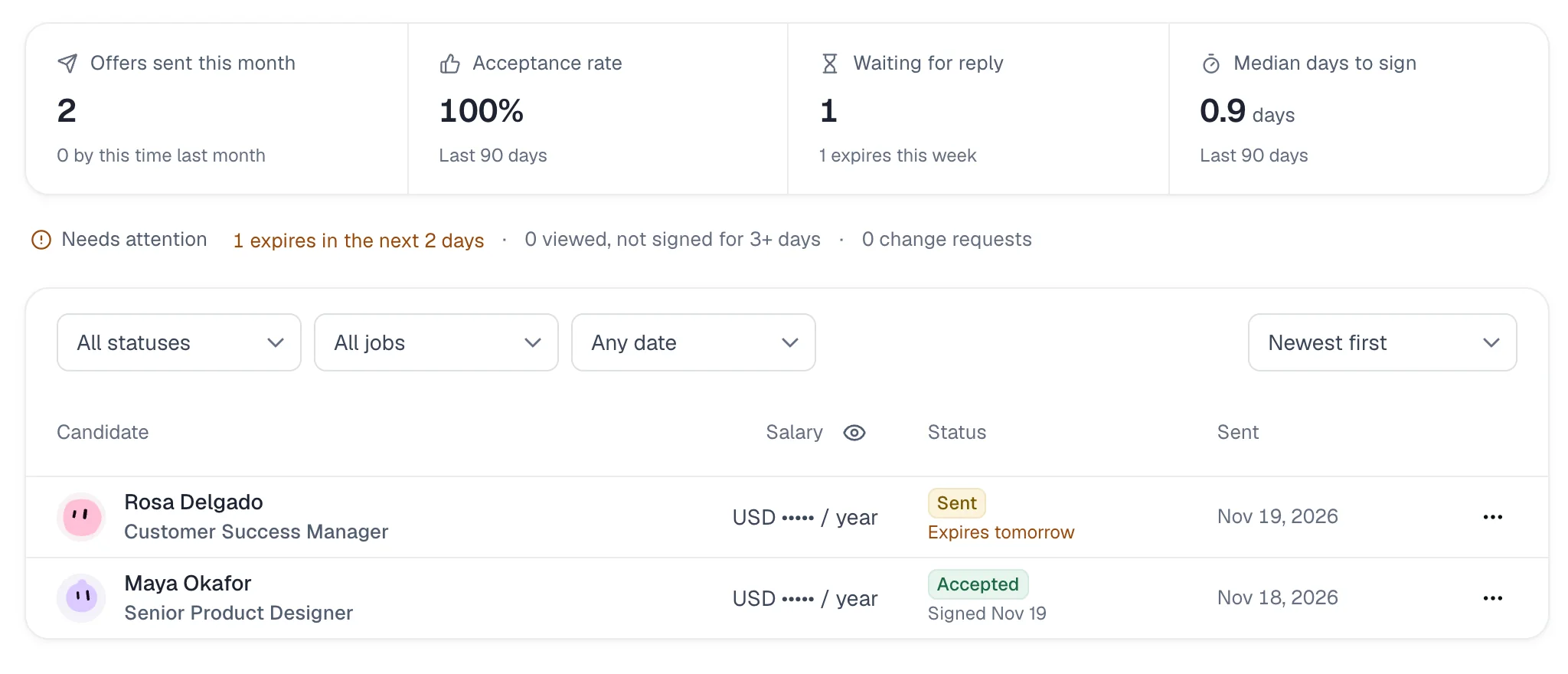
Pro and Max · Documents
Sent offers: every offer you have sent, and the ones that need attention.
Questions about offer letters
This is general information, not legal advice. Laws differ by country and state, so check with an employment lawyer. Checked on November 4, 2026.
Send your next offer from weone
Start free, no card. Offer letters and e-signature are included on every plan.