Choosing software
An applicant tracking system for small business
For companies of 10 to 200 people where the founder or a manager does the hiring and there is no HR department: what an ATS should do at that size, what weone does, what it costs, and when a spreadsheet is enough.
weone team7 min read

What an applicant tracking system is
An applicant tracking system, or ATS, is software that holds your open jobs and the people who apply to them. Each applicant gets one record — resume, answers, notes, feedback, emails — and moves through stages you define, from applied to hired or rejected.
Large companies buy one for compliance reporting and approval chains. A small business buys one because applications arrive in three inboxes, nobody remembers who replied to whom, and a good candidate goes cold while you are busy running the company.
So the useful question is not which ATS has the most features, but which one you will still be using when the next role opens.
What a small team actually needs
Seven things, roughly in order of how often they go wrong.
One place applications arrive
A job page candidates apply on, with every application landing in one list instead of personal inboxes.
A pipeline per role
Stages that match this role. A warehouse lead and a software engineer rarely go through the same steps.
Screening you can explain
Something that reads resumes first and shows why it ranked someone where it did.
Interviews without email tennis
Candidates picking a time from your real availability, with the video link created for you.
Feedback in writing
Every interviewer records a verdict and notes, so nobody decides from memory in a hallway.
Candidate emails that actually go out
Confirmations, invitations and rejections sent from the system, so nobody waits for an answer that never comes.
A price you can read
A published price, free seats for the managers who only interview, and a free way to start.
How weone covers the list
What the product does today, item by item.
Careers page and apply page
Every published job gets a page and an application form on your weone subdomain, in your colors. A resume is optional, so people without a current one can still apply.
Job descriptions drafted by AI
Give it the title and a few notes for a draft, or paste in an old post to tighten it. You edit before anything goes live.
Resume parsing and a match score
PDF and Word resumes become structured profiles, and each candidate gets a 0–100 match score against the job, with what matched and what is missing.
Up to five criteria of your own
Add up to five must-haves per job, such as a license or weekend availability. The AI marks each one and quotes the evidence it used. It never moves or rejects anyone; a person decides.
A pipeline for each job
Every job has its own stages, and an email template can go out automatically when a candidate enters a stage.
Scheduling and self-scheduling
Send a booking link with your open times or a few proposed ones. The candidate picks a slot, and the Google Meet, Microsoft Teams or Zoom link is created from your connected account.
Scorecards
Each interviewer files a five-point rating, from strong no to excellent, with written notes.
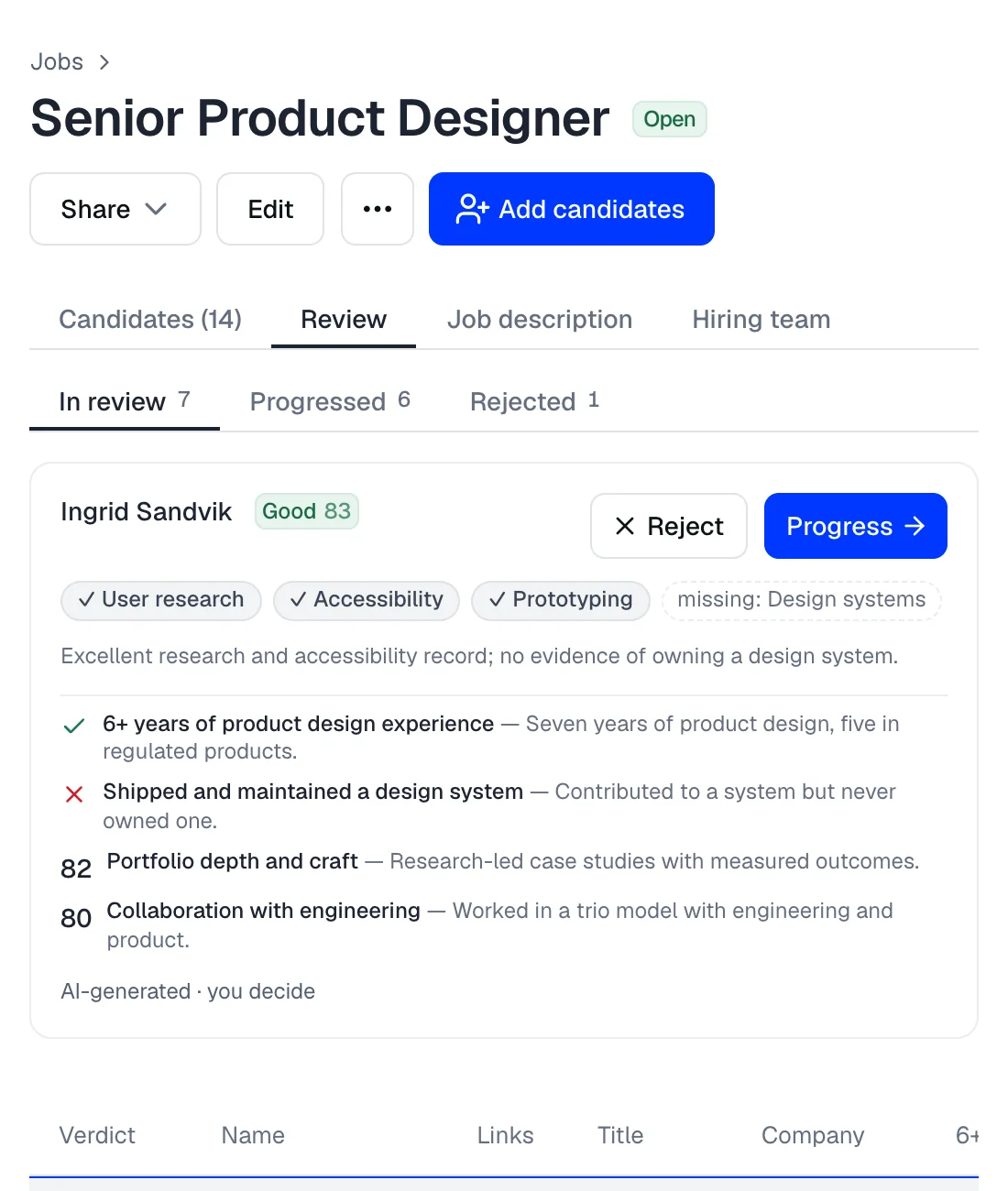
Recruitment · AI review
Applicants ranked against the job, with a mark for every criterion you set.
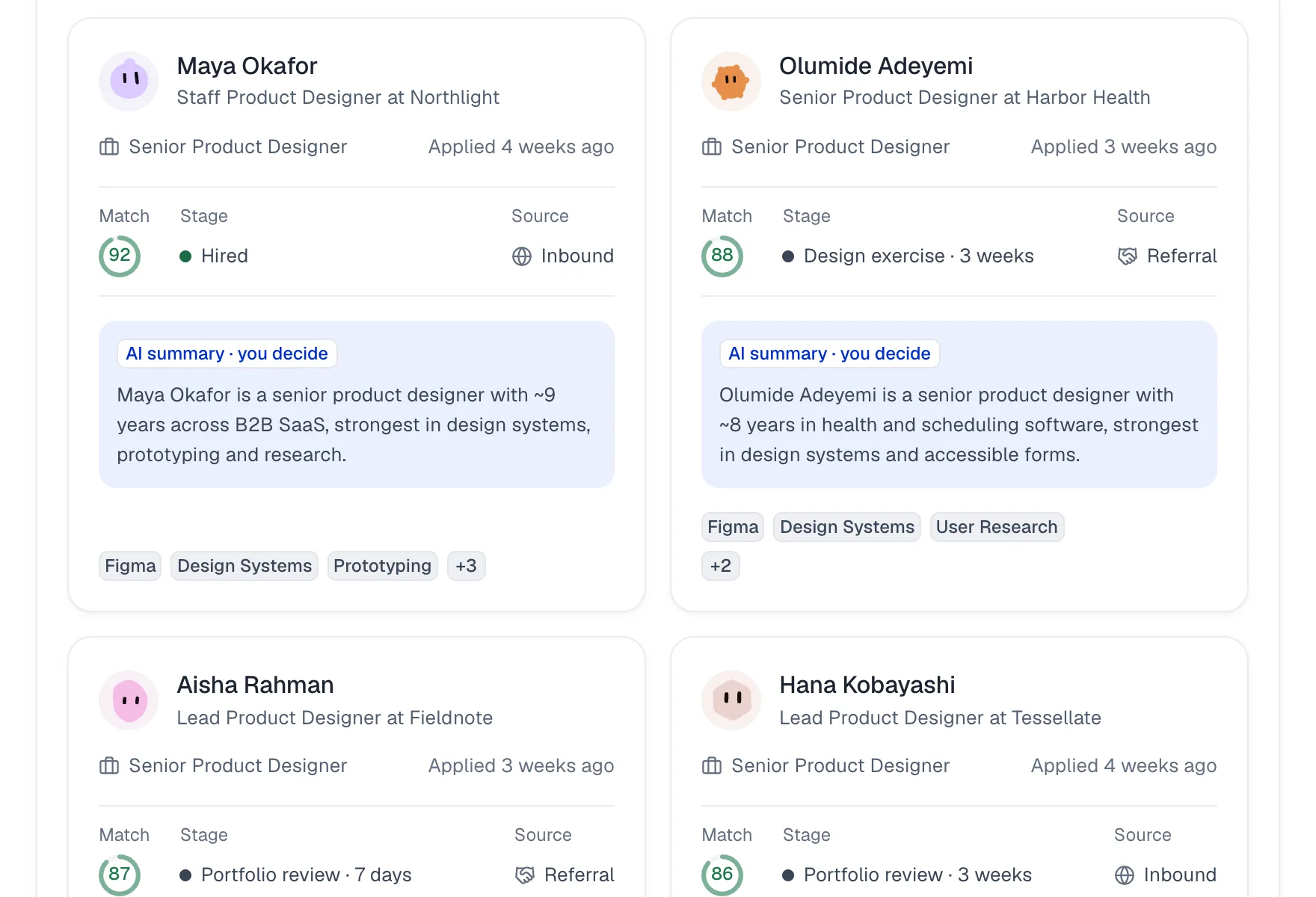
Recruitment · Candidates
The job’s candidates as cards, best match first, each with a match score.
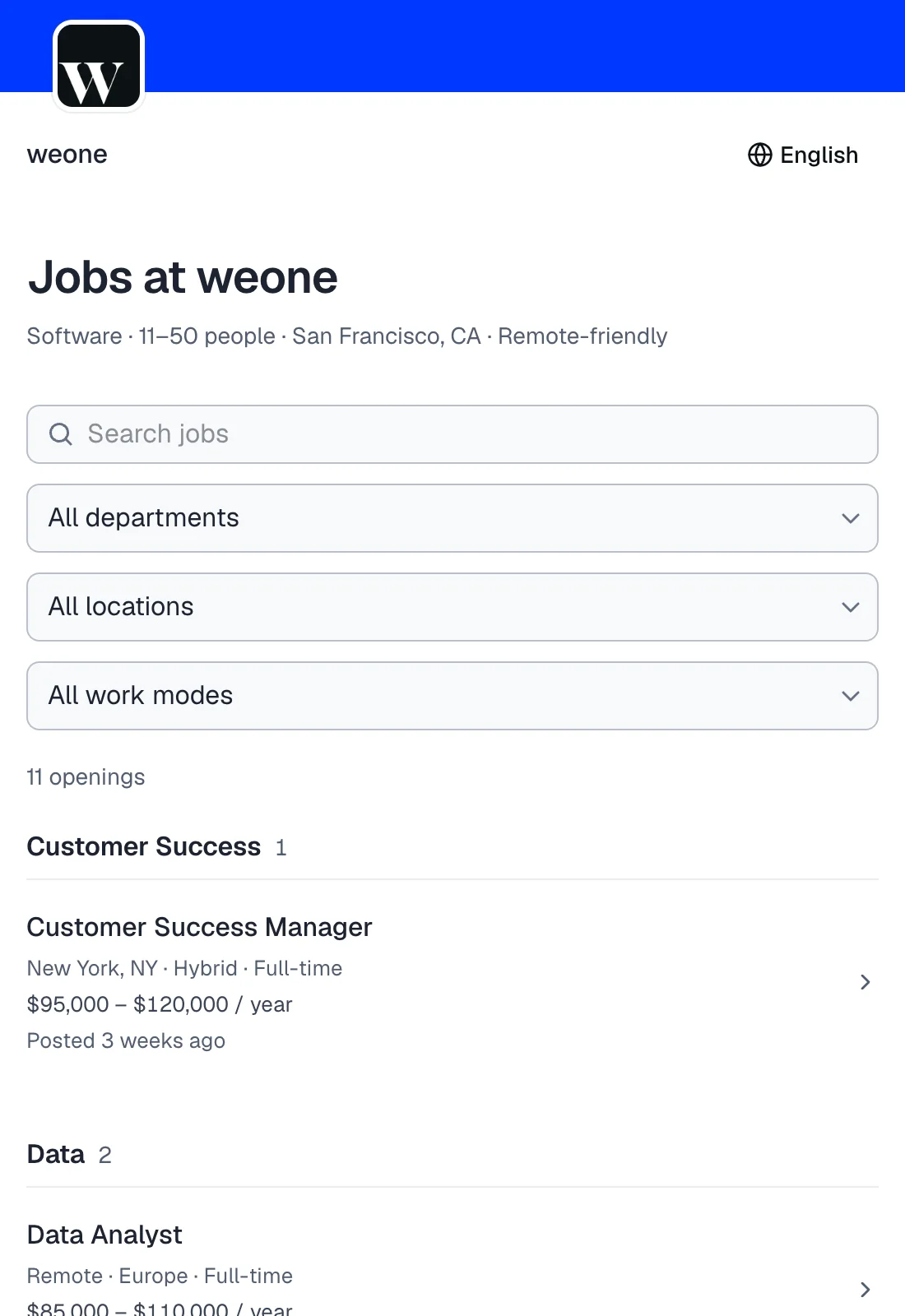
Careers page
Your open roles on your own weone subdomain, in your colors.
What it costs
Your first workspace starts with 14 days of Max, free and with no card, then keeps the Free plan or pays per recruiter seat. People who only interview are never billed.
An ATS or a spreadsheet?
For a hire or two a year, a spreadsheet and a shared inbox are fine. They break when two roles are open at once.
Collecting applications
- Spreadsheet and email
- Forwarded from job sites and personal inboxes, then copied into rows by hand.
- weone
- Candidates apply on your careers page and land in the job’s pipeline.
Reading resumes
- Spreadsheet and email
- Opened one at a time.
- weone
- Parsed into a profile and scored against the job, with reasons.
Knowing where each person stands
- Spreadsheet and email
- A status column someone has to remember to update.
- weone
- Stages per job; moving the candidate is the update.
Scheduling interviews
- Spreadsheet and email
- Emails back and forth until a time works.
- weone
- A booking link against your availability, with the video link created.
Interview feedback
- Spreadsheet and email
- Chat messages and memory.
- weone
- A rating and notes from each interviewer, on the candidate’s record.
Telling candidates the outcome
- Spreadsheet and email
- Often forgotten.
- weone
- Emails sent from the pipeline, including automatically on a stage change.
A Greenhouse, Workable, Ashby or Lever alternative for small teams
The four vendors we get asked about most. Each cell is quoted from the vendor’s own public pages; each name leads to our full comparison, including when that vendor is the better choice.
| Vendor | Published pricing | Price basis |
|---|---|---|
| weone | Pro $25, Max $49 — per seat, per month; a free plan after the trial. | Per recruiter seat for hiring; People is $6 per employee a month. |
| Greenhouse | Not published | Not published |
| Workable | Standard $299, Premier $599, Enterprise $719 — per month. | A flat monthly plan, tiered by employee count (1–20 up to 1000+). |
| Ashby | Foundations $400 a month up to 100 employees; Plus and Enterprise on request. | “Based on company size, usage, and commitment.” |
| Lever | Not published | “Scales based on your team size and hiring needs” — no unit given. |
How to choose an ATS for a small business
Run it against any vendor, weone included.
Can you see the price before a sales call?
If the number appears only after a demo, it is usually priced for a bigger company than yours.
Who gets billed, and are hiring managers free?
Per recruiter, per employee or a flat plan. A company of 80 with one person hiring pays very differently under each, and a full seat for a manager who interviews twice a month adds up.
Can you start without a setup project?
You should post a real job in the first hour. If it needs an implementation plan, it was built for a recruiting team.
Does the AI explain itself, and who decides?
A score with no reasons is hard to trust and hard to defend. Look for a reason per criterion and a person making the call.
Does it work for your candidates?
For hourly and trade roles, applying without a resume and in their own language matters more than any dashboard.
Can you leave?
Check that candidate data exports. weone’s candidate list downloads as CSV.