From job post to hire.

weone is hiring and HR software for teams without an HR department. Five steps to the signed offer, then the new employee’s record, time off, onboarding, hours and reviews.

Or book a 30-minute demo

01Post

Publish to your careers page and LinkedIn.

Write the job once in a guided form. Publish it and it goes live on your own careers page and is shared to LinkedIn. Candidates search the careers page and filter it by department, location and work mode.
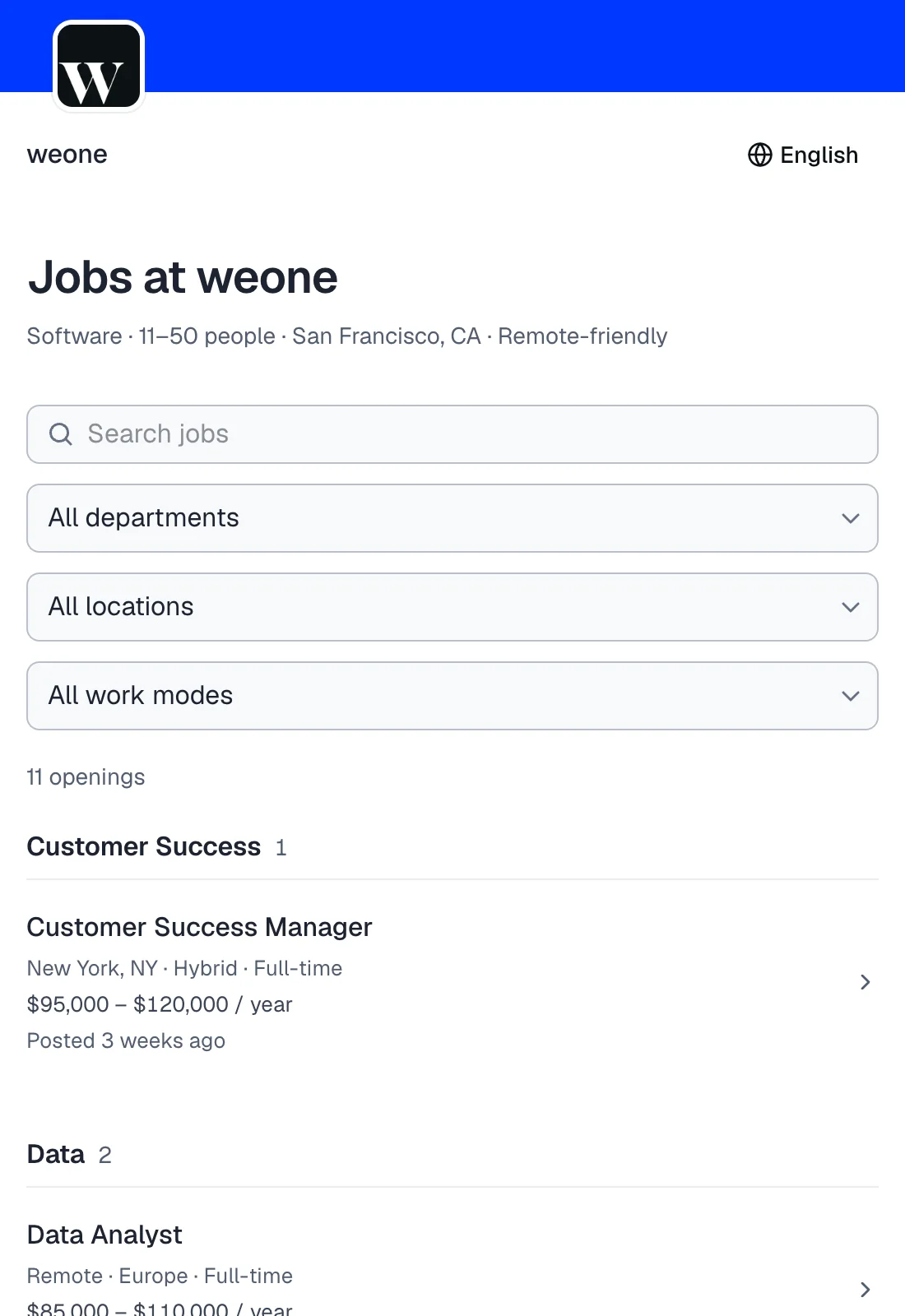
A company careers page made with weone: search, filters by department, location and work mode, and the open jobs grouped by department

02Screen

Applicants ranked, with the reasons.

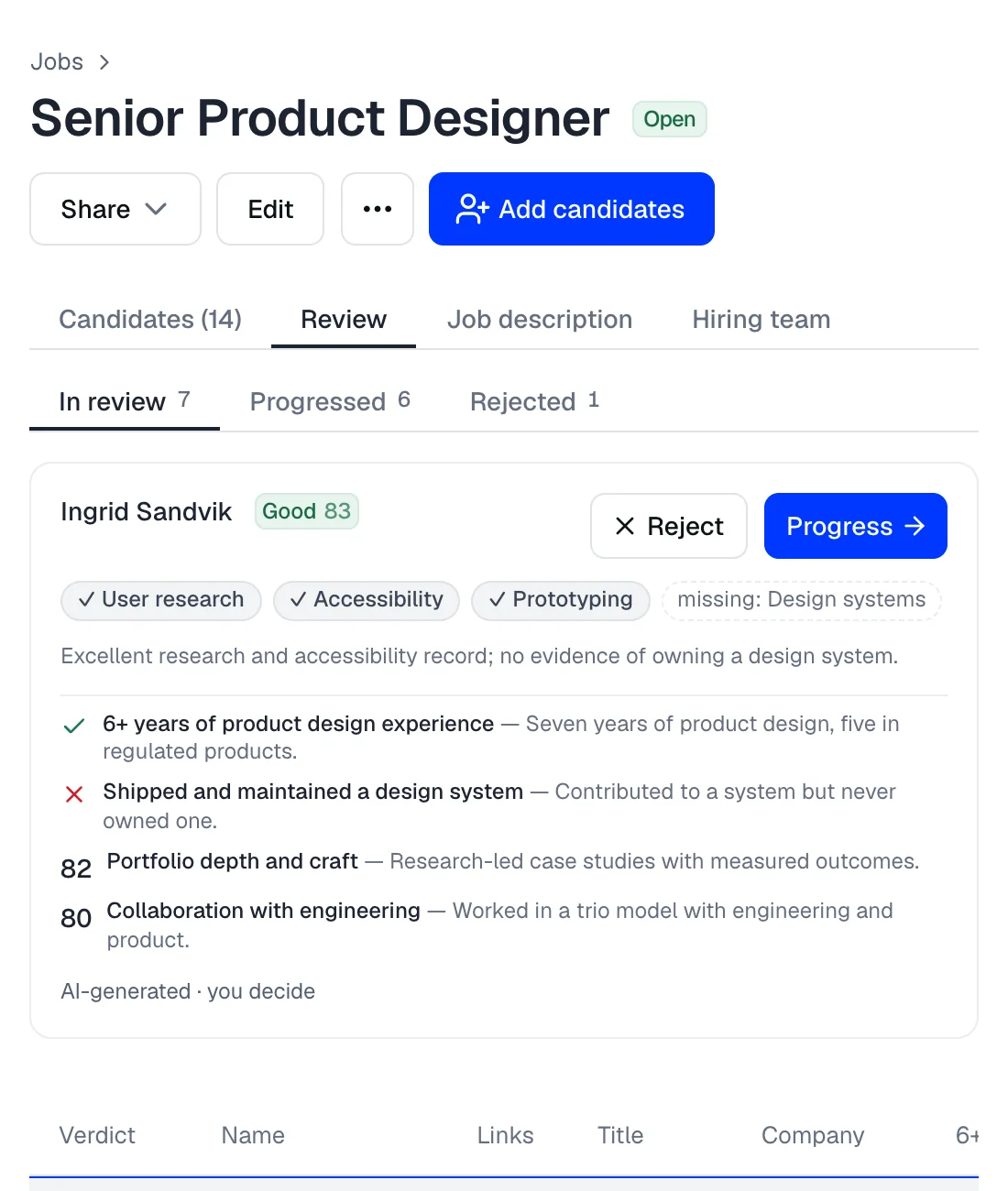
Resumes become structured profiles, matched to the job with a score and the reasons behind it. See applicants as a table or as cards, and move the people you want to Interview.

A job’s Review tab in weone: the top applicant’s match score, the skills matched and missing, the reason, and a check against each review criterion

03Interview

You listen. The notetaker writes.

Panels are booked without double-booking, and the Interviews calendar shows every interview by day, week or month. weone Notetaker joins the video call and turns it into a transcript and notes.

How the AI notetaker works
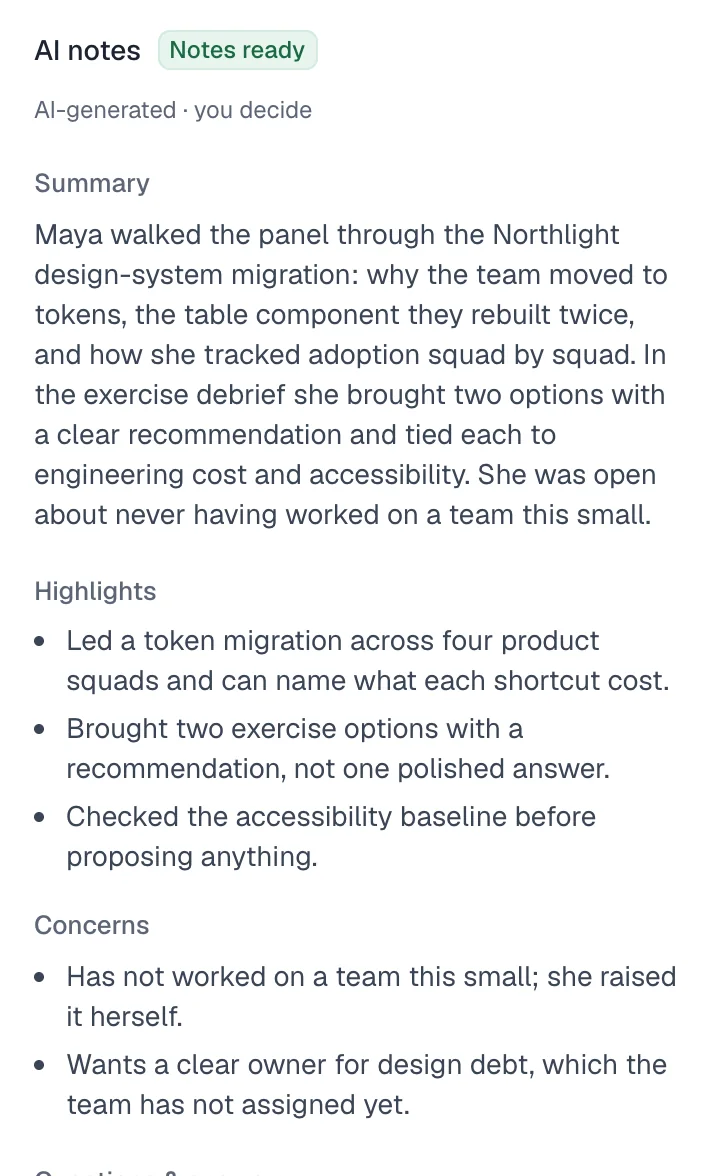
AI interview notes in weone, labelled “AI-generated · you decide”, with a summary, highlights and concerns

04Decide

Scorecards in, nobody chasing.

Each interviewer submits a scorecard next to the resume. Tasks and reminders tell people when it is their turn, and analytics shows hires, time to hire and what needs attention.

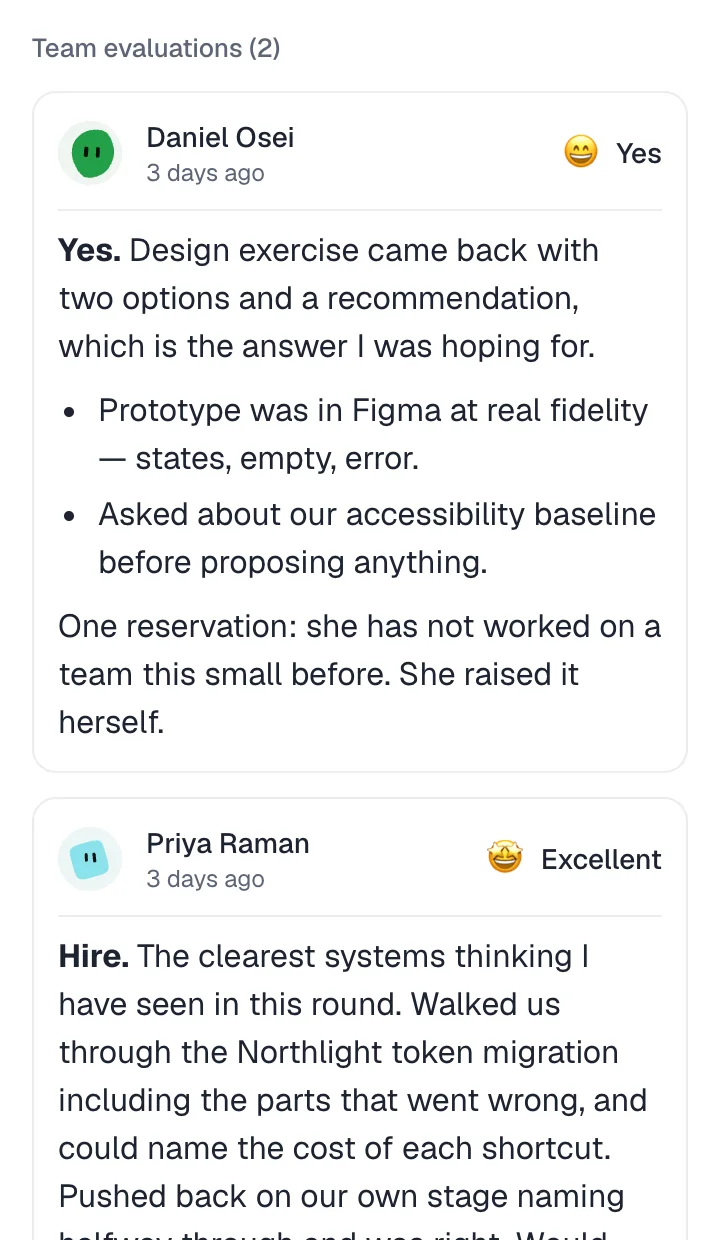
Two submitted scorecards on a candidate in weone, rated “Yes” and “Excellent”, each with the interviewer’s comment
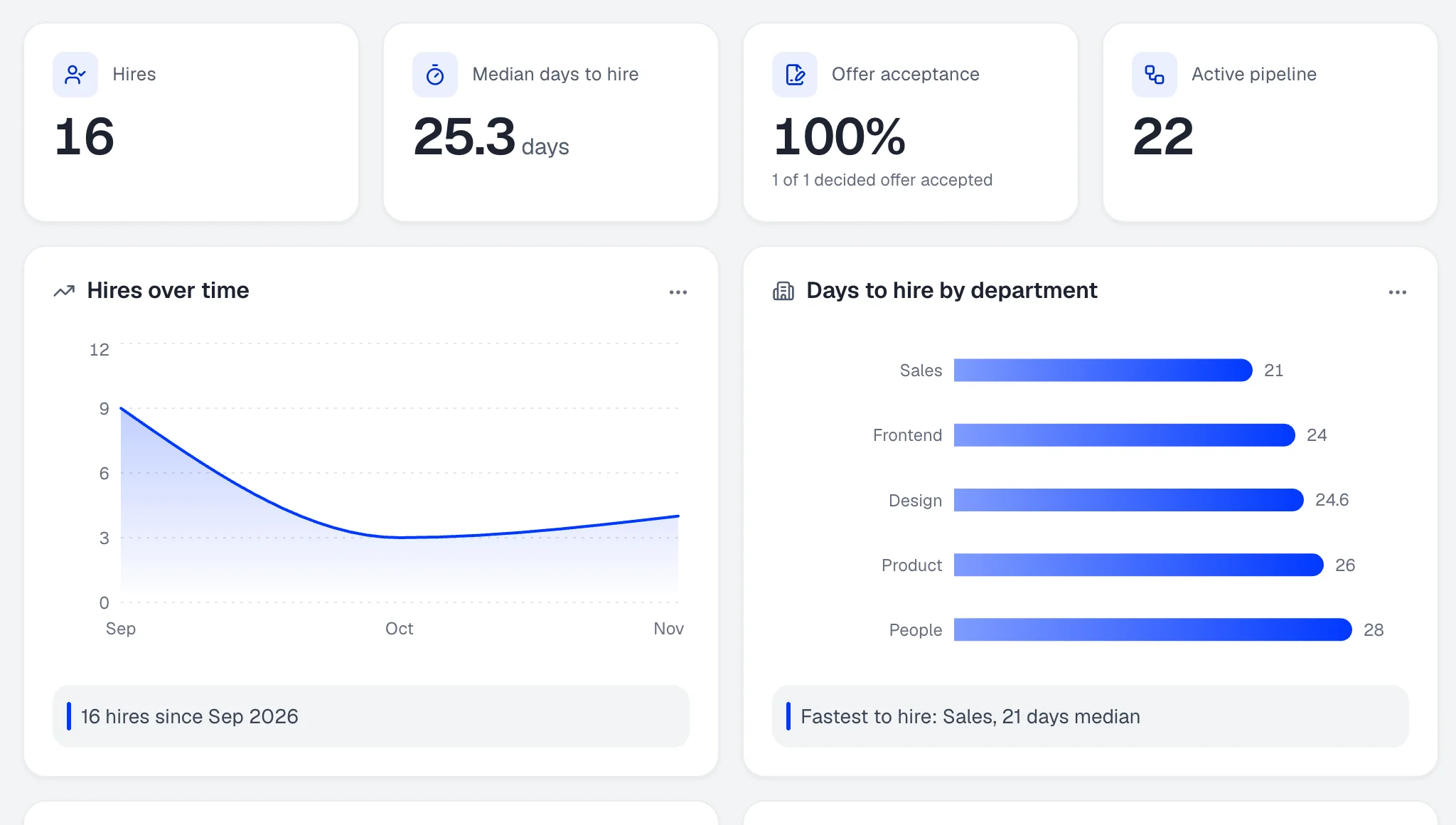
Hiring analytics in weone: hires, median days to hire, offer acceptance and the active pipeline, then charts of hires over time and days to hire by department

05Hire

Send the offer. Get it signed.

Send the offer letter from the candidate’s page. The candidate signs online with their typed name and a code sent to their email, and the signed PDF stays on their record.

How offer letters and e-signature work
A shop owner standing in her plant shop by a terracotta wall

Then the hire becomes an employee.

The signed offer becomes the employee record, with no retyping. People is on every plan, in team workspaces. It does not run payroll or benefits.

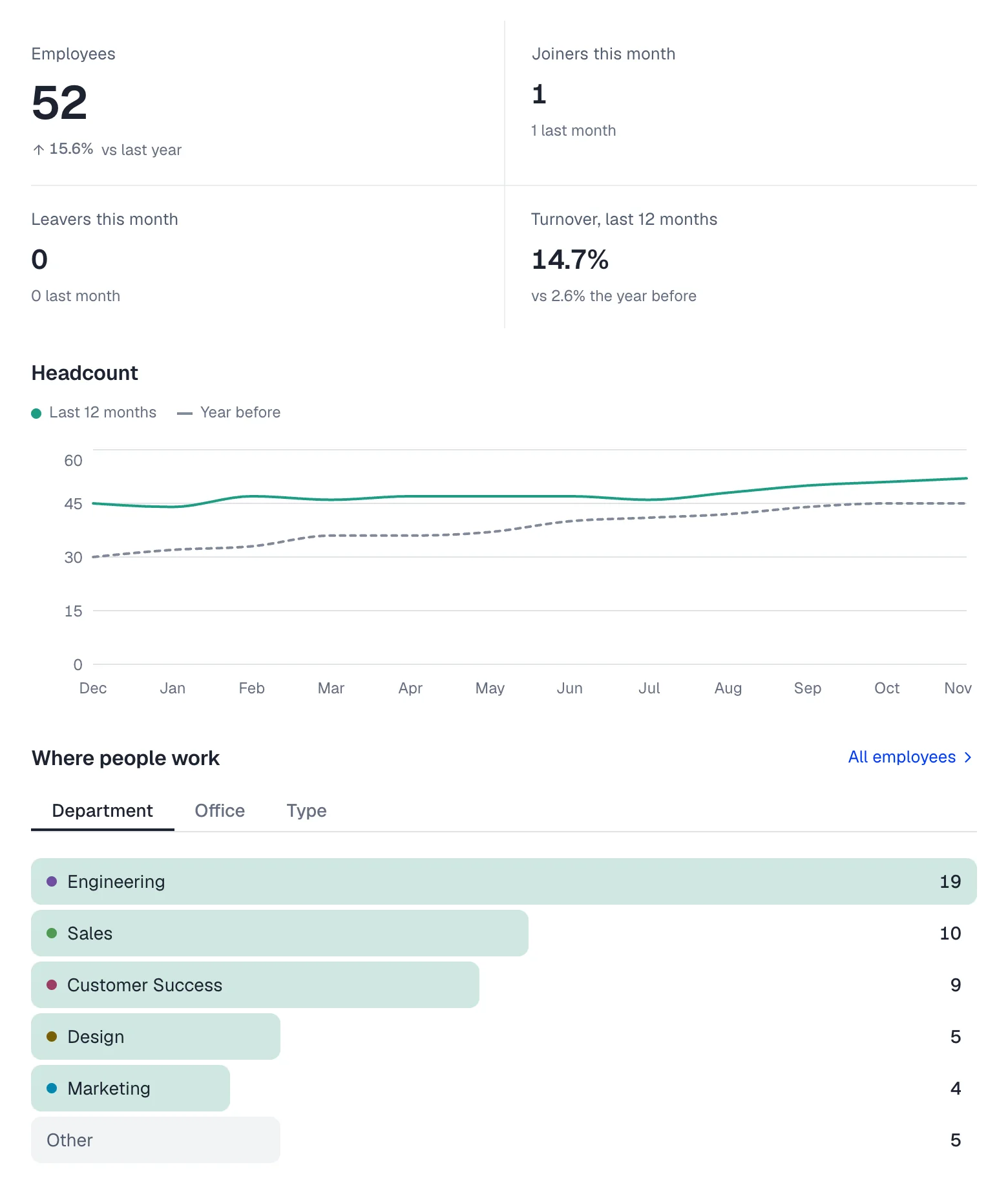
The People home in weone: employees, joiners and leavers this month and turnover, a headcount chart for the last 12 months against the year before, and where people work by department
  • Employee records

    A record for each person, with dated job history, documents you choose to share with them, CSV import, a directory and an org chart.

  • Time off

    Requests, balances and approvals that show overlaps, with a team calendar. Starting leave rules and holidays for seven countries, each linked to its law. Check with counsel.

  • Onboarding

    Steps with owners and due dates, a form for the new hire’s details and files, a first-day invite, and check-ins at week 1, day 30 and day 90.

  • Timesheets

    Clock in and out or type the hours, each week against the work schedule, approved by the manager, with warnings and a CSV export.

  • Performance reviews

    A self-review and a manager review with questions you can edit, shared when the manager is ready, and an experimental AI draft.

  • Engagement surveys

    Anonymous or confidential surveys and eNPS, sent in the app, with results once 3 people have answered.

Every candidate keeps one record, from application to offer.

Start with your next hire.

Or book a 30-minute demo