Every interview, on one calendar.
Interview scheduling in weone: pick the time yourself or send the candidate a booking link, and everyone gets an invite with a calendar file and a reminder. It is on every plan, Free included, and hiring managers and interviewers join free. It works with Zoom, Google Meet and Microsoft Teams, and has no video calls of its own.
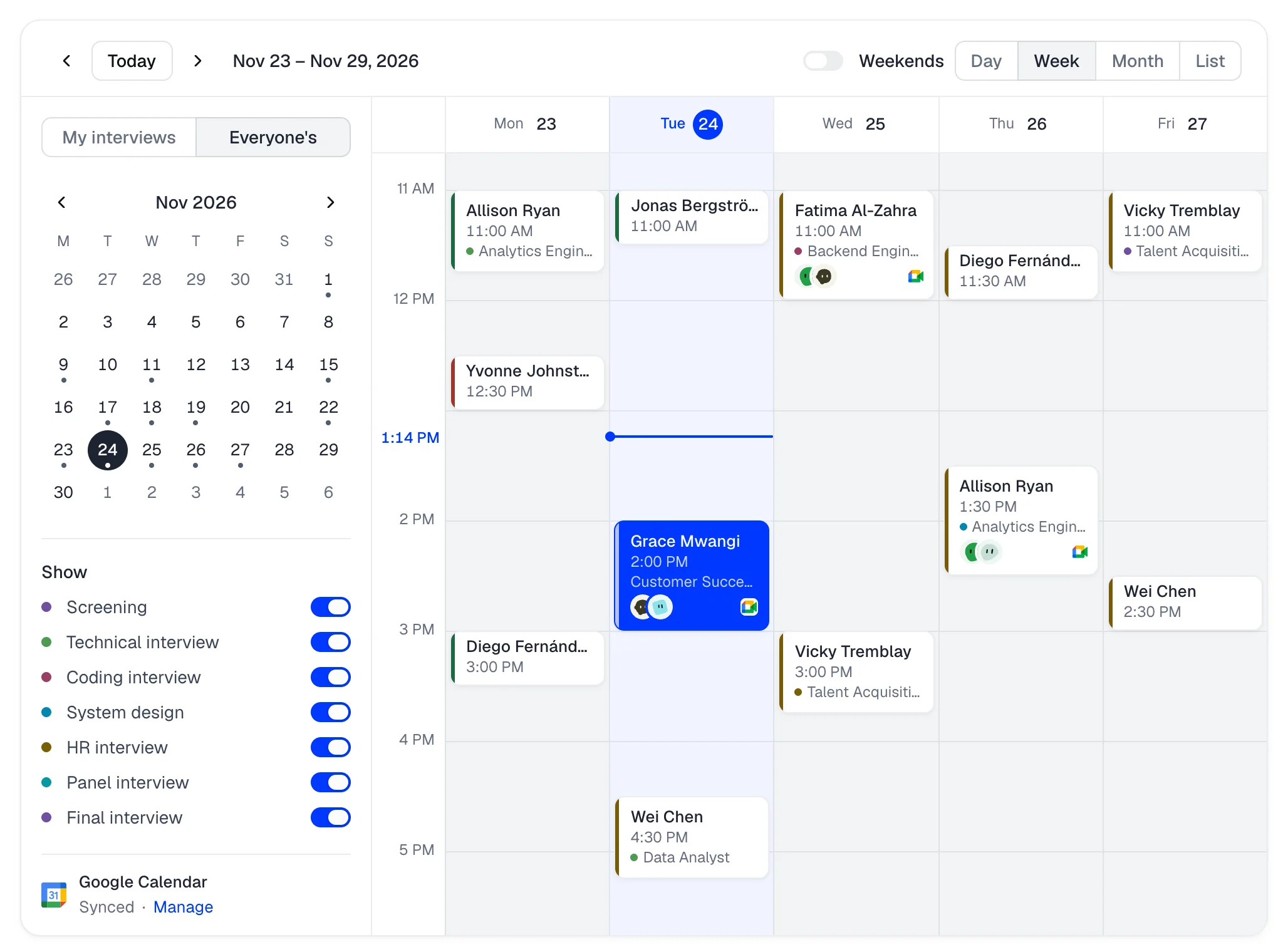
One calendar for every interview
The Interviews page shows every interview in a Day, Week, Month or List view, yours or everyone’s. The week starts on the day your work schedule sets.
- A side rail with a mini calendar, a switch for each interview round and the chosen day’s list.
- Each interview carries a stripe for its status, and the next one stands out.
- The Day view can show one column per interviewer.
Schedule it yourself
Pick the date, time, length, round and interviewers, and how you meet: video call, phone or on site. weone can create the link: Google Meet or Microsoft Teams through your workspace’s connected calendar, or Zoom. Or paste your own.
- Add several interviewers to one interview.
- weone stops you booking the same candidate or interviewer into two interviews at once.
- Start from the Interviews page or from the candidate’s profile.
Or let the candidate pick
Send a booking link, and the candidate picks a time from the slots when every interviewer is free, shown in their own time zone. Or propose 3 to 5 times for them to choose from.
- Free times come from each interviewer’s weekly hours, minus weone interviews, busy time in the connected Google or Microsoft calendar, approved time off and holidays.
- Interviewers set their own hours, slot length, buffers, minimum notice and a daily limit.
- The candidate can pick a different time, cancel, or say none of the times work.
Invites and reminders
The candidate and each interviewer get an email with a calendar file, then an update or a cancellation if the time changes. A reminder email goes out before the interview: 15, 30 or 60 minutes before, or a day before.
- Candidate emails are in the job’s language, one of 16.
- The candidate’s copy never shows your internal notes.
- Interviewers are reminded to file their scorecard after the interview.
The AI notetaker, marked on the calendar
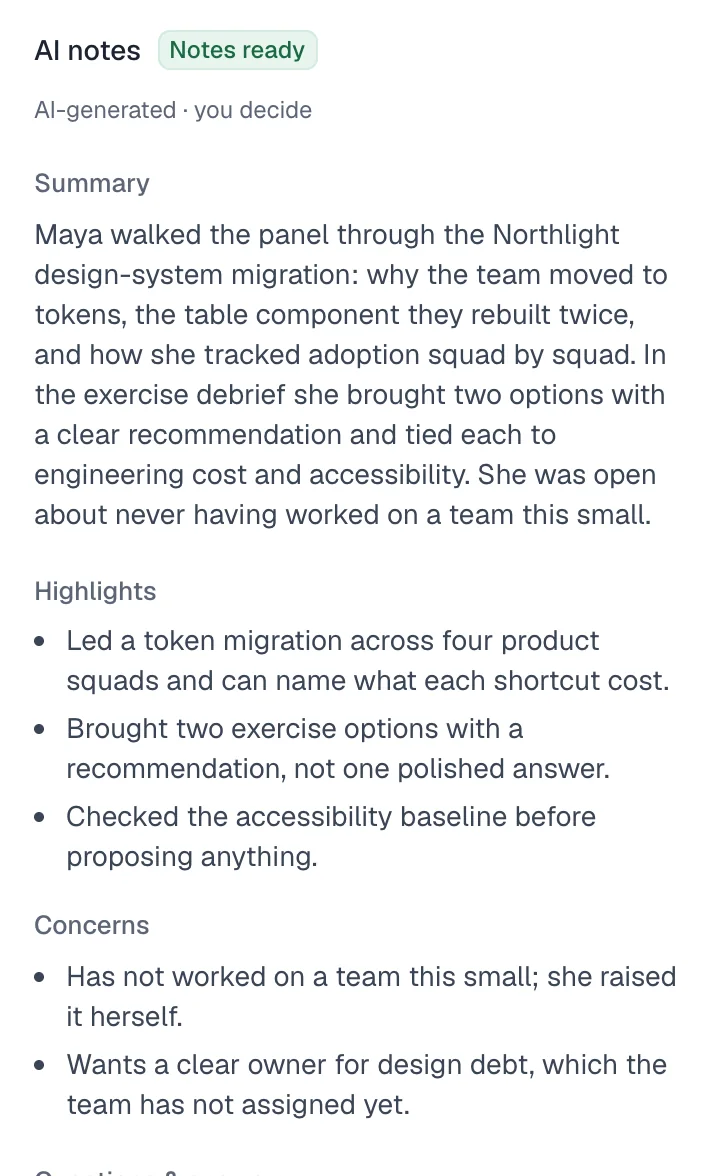
Turn on AI notes and weone Notetaker joins the Zoom, Google Meet or Teams call, transcribes it and drafts notes and a scorecard that a person reviews. The calendar marks each interview it will join. The candidate is told and can opt out.
- Free includes 3 notetaker interviews a month; Pro 20 and Max 50 per recruiter seat, shared across seats.
- A recording runs for up to 90 minutes.
Free for the whole hiring team
Scheduling, booking links and reminders are on every plan, Free included. Hiring managers and interviewers join as free collaborators: they get invites and file scorecards without taking a paid seat.
- The Free plan has 1 recruiter seat and 1 active job, with no end date.
What interview scheduling in weone does not do
It books and tracks interviews. A few things it leaves out.
Video calls
weone has no video calls of its own; interviews run on Zoom, Google Meet or Teams.
Text messages
Invites and reminders go by email, never by SMS.
Personal calendars
Invites arrive as a calendar file by email; weone does not write to each interviewer’s own calendar.
Busy times when you pick
When you pick the time yourself, weone checks only its own interviews. Calendar busy time is read for booking links.
Round-robin
Interviewers are not assigned automatically.
Personal booking pages
Each booking link is for one candidate and one interview, not a page anyone can book.
Questions about interview scheduling
This is general information, not legal advice. Rules on recording interviews differ by country and state, so check with an employment lawyer before you record. Checked on November 24, 2026.
Book your next interview in weone.
Start on the Free plan. Scheduling is included, and interviewers join free.